Video enhancement
Upscale low-quality videos or photos 2× or 4× with AI so they look sharper.
MAC VIDEO EDITOR · ASHENG QUICK EDIT
Fast text cards,
fast editing.
Free to download · exports carry a watermark until activated
ASheng Quick Edit is the Mac video editor I built while editing my own vlogs and explainer videos. Subtitles and text cards take the most time, so they get a whole Text Card Studio: every letter can have its own entrance, hold and exit, and a style adds outlines, glows and motion in one click. When you'd rather not do it yourself, open the AI Workbench and tell it how to edit; for heavier effects, send the timeline to Premiere Pro or After Effects with one click and keep going there.
NT$400 (about US$13) per year · one Mac
Download it and start editing right away: editing, text cards and the AI Workbench all work; exported videos just carry a watermark. After you buy a license key, enter your email and key in the app and the watermark goes away. One key works on one Mac at a time.
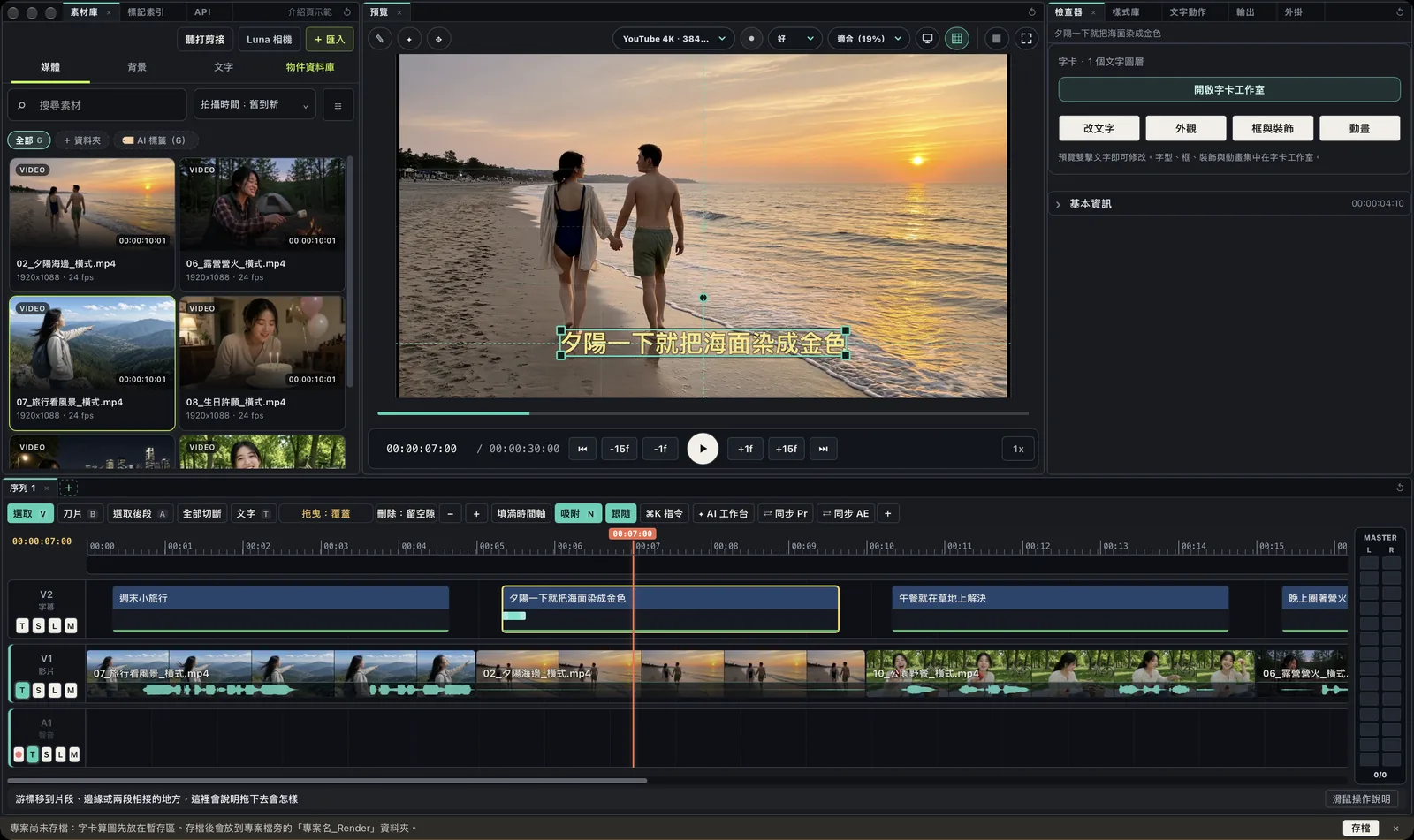
Text Card Studio & subtitles
The Text Card Studio is a window just for text. A card's animation is split into three parts — how it comes in, what it does while it stays, how it leaves — and you pick each one separately. Text can enter letter by letter, line by line or all at once, and you can circle a few letters into a "chunk" that moves, scales and rotates on its own, even with its own animation.
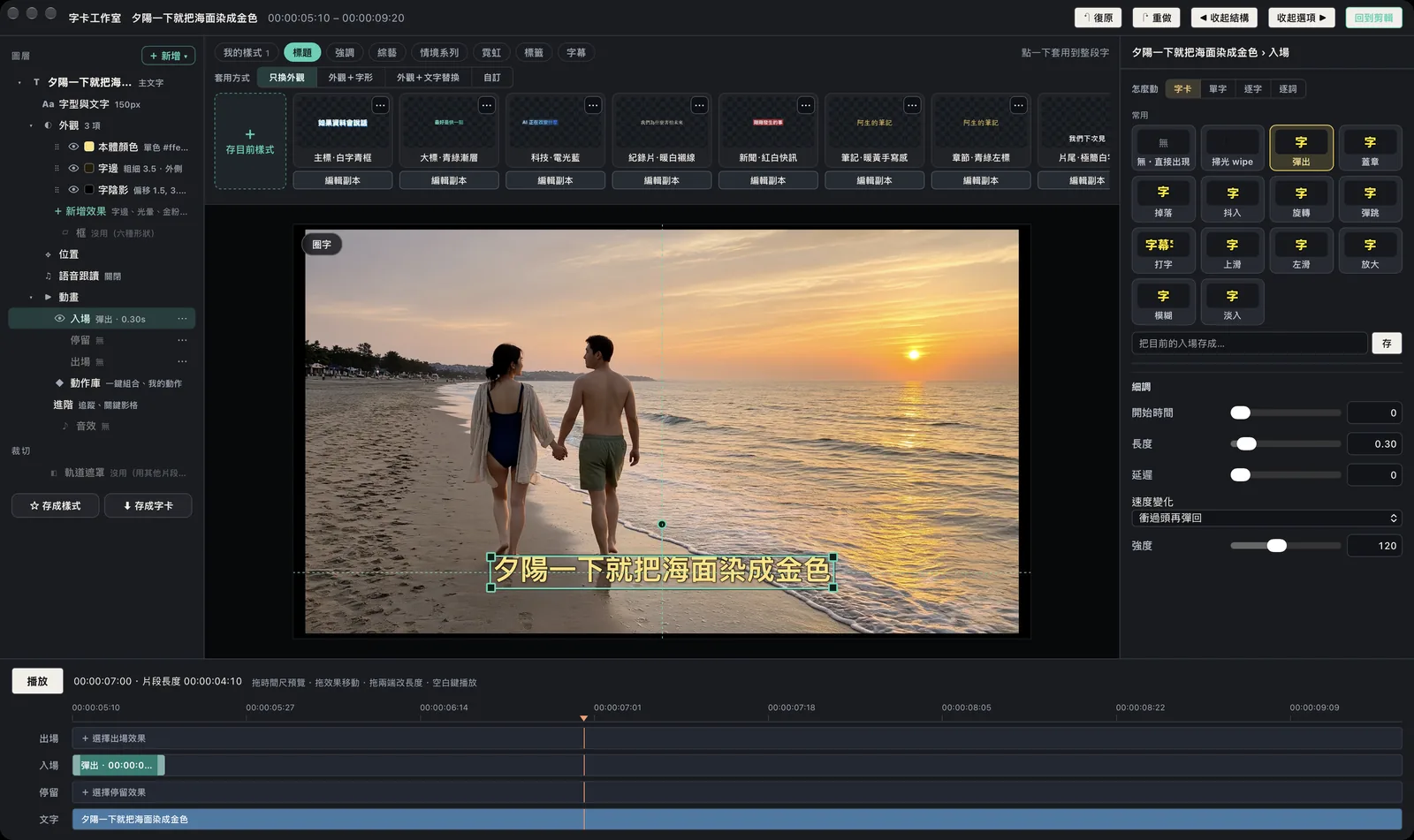
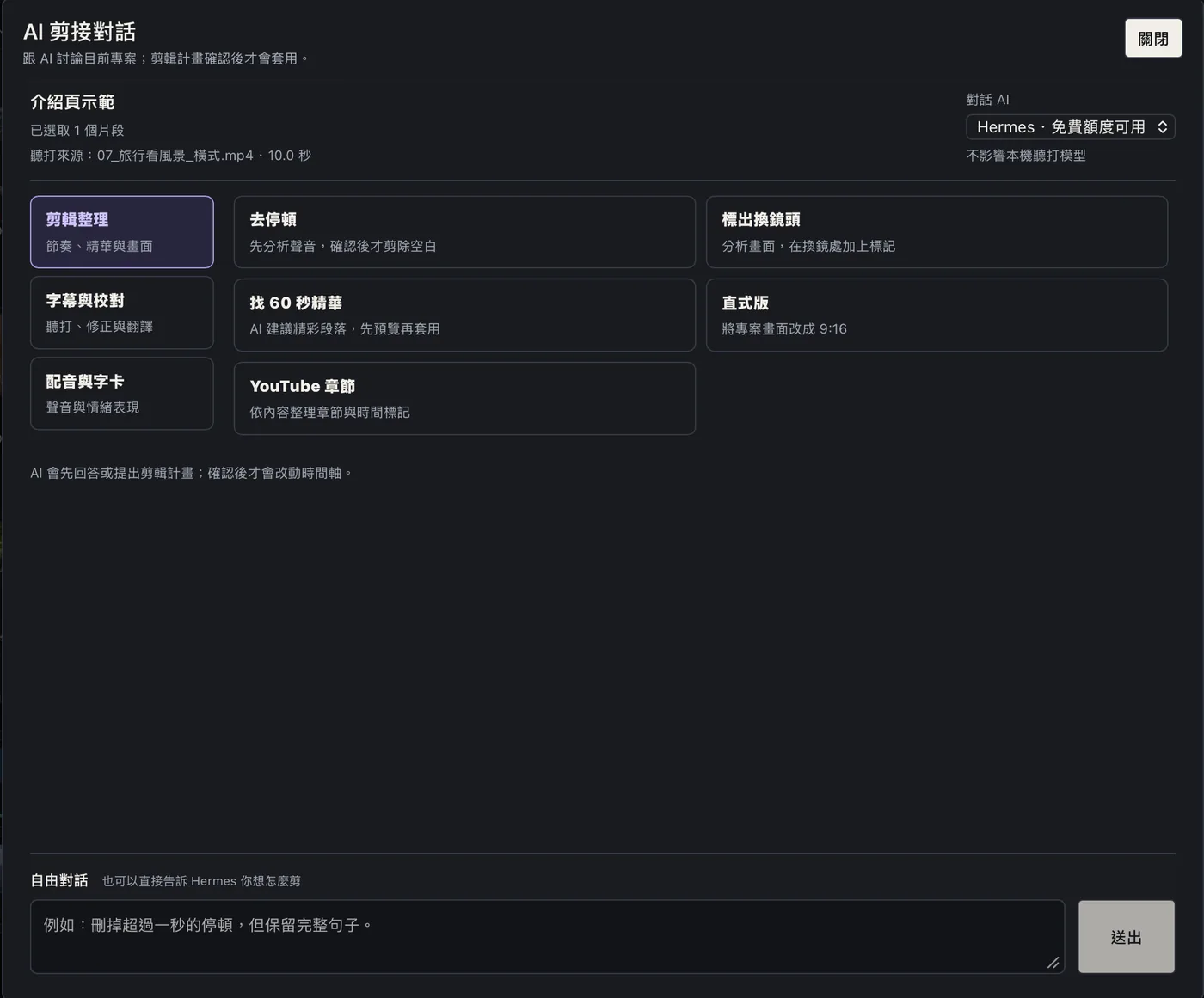
AI Workbench
Open the AI Workbench and tell it, in everyday words: "Give every subtitle a variety-show style", "Cut on the beats of the second music section", "Trim the long pauses". The AI proposes an edit plan first and only applies it to the timeline after you confirm; every step can be undone, so just roll back if you don't like it.
Works with Premiere Pro / After Effects
The timeline toolbar has two buttons: "Sync Pr" and "Sync AE". One click sends the whole timeline to Premiere Pro or After Effects: video, audio, trims and speed changes all carry over, and in After Effects your text cards become editable text layers with matching position, font, size and color.
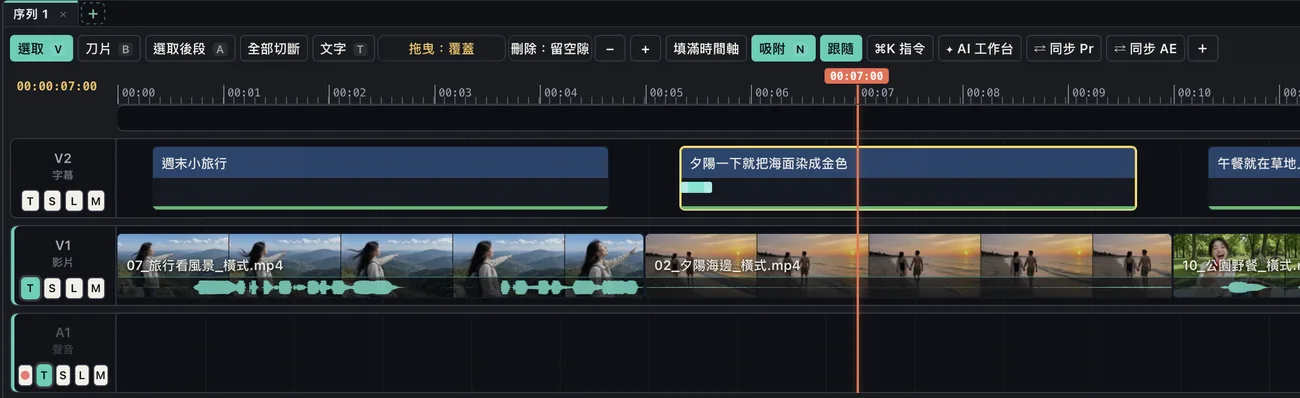
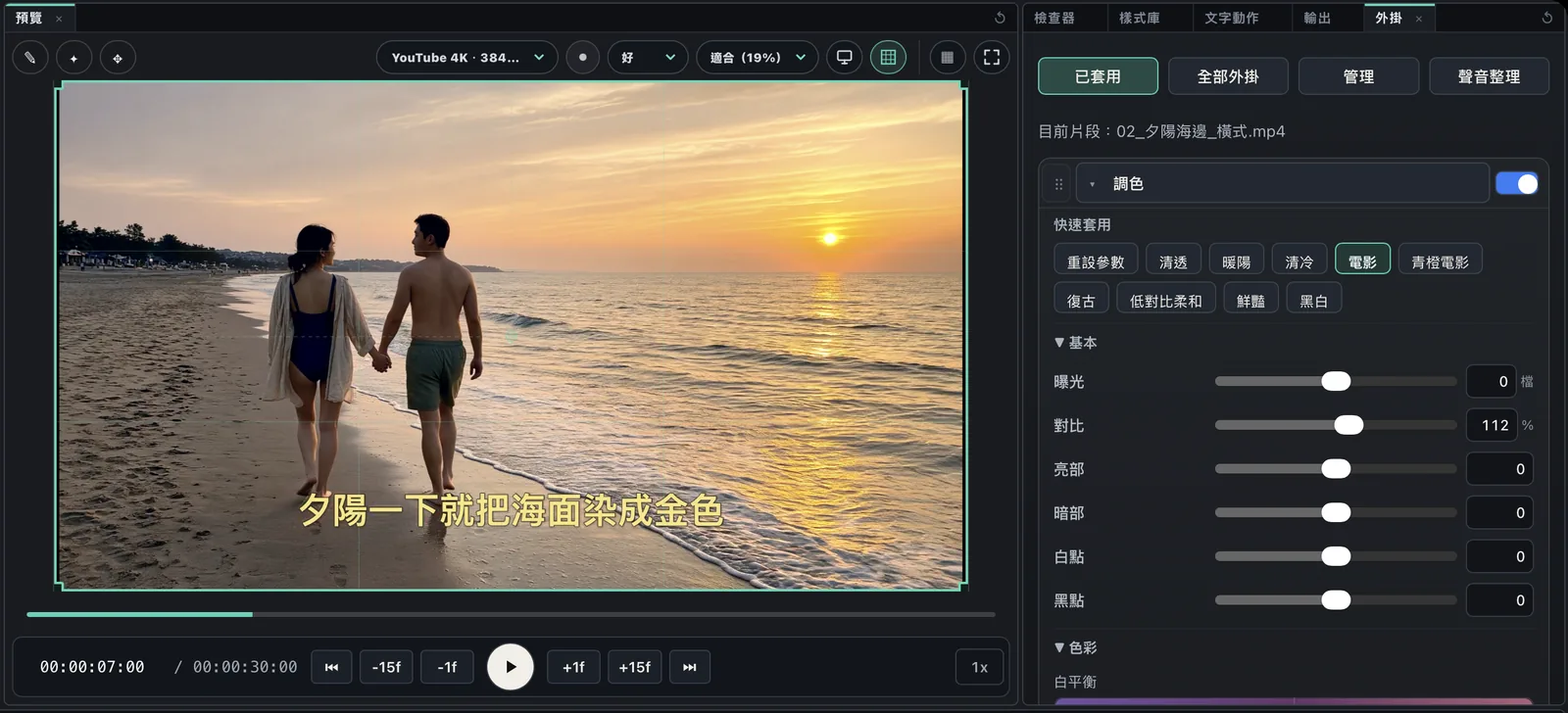
Native preview & plugins
ASheng Quick Edit plays back with the Mac's built-in video engine, and text cards are drawn the same way in preview and export, so what you see is what you get. Effects are all plugins — basic color, person cutout, transitions — added to a clip with instant results, and removing one never affects anything else.
And there’s more
Upscale low-quality videos or photos 2× or 4× with AI so they look sharper.
Remove air-conditioner hum and wind noise from recordings; split a song into vocals and backing track.
Automatically finds the strong beats in your music and marks them on the timeline, so you can cut to the rhythm.
Bring in a half-finished Jianying (Chinese CapCut) project and keep editing: video, audio, subtitles, trims and speed changes come along. Effects, filters, transitions and stickers don’t, and encrypted drafts from Jianying 6.0 onward can’t be read.
Every export is checked automatically: whether the file reads back and whether the length is right. If hardware (GPU) encoding fails, it automatically exports again with software encoding.
Update from inside the app when a new version is out, and roll back to the previous version if you prefer it.
The AI models for video enhancement, speech denoise, vocal separation and beat detection are downloaded inside the app the first time you use them, and you can choose where they are stored (an external drive, for example).
Licensing
ASheng Quick Edit is activated with a license key — no wallet, no NFT. One key costs NT$400 and lasts one year.
Active on one Mac at a time. To switch computers, activate on the new Mac and the old one is signed out; you can switch once every 24 hours.
Without a key, or after it expires, you can still edit as usual — exported videos just carry a watermark.
Once activated, it keeps working for 7 days without internet (on a plane, for example) and re-checks automatically when you're back online.
Getting started
Requires an Apple Silicon (M series) Mac with macOS 26 or later. No Intel Mac or Windows version for now.
Click "Free download" above, open the downloaded file and drag ASheng Quick Edit into Applications. You can use it before you have a key; exports just carry a watermark.
After purchase you'll receive an email with your license key and the email it's registered to.
Open ASheng Quick Edit, choose 阿生快剪 → 授權… (License…) in the menu bar, enter your email and license key, and click 啟用這台 Mac (Activate this Mac).
One license key costs NT$400 (about US$13), lasts one year and works on one Mac. Download it free first and buy once you like it.
Yes. Editing, text cards and the AI Workbench all work; exported videos just carry a watermark.
You can install it on any Mac, but one key is active on only one Mac at a time. To use two Macs at once, you need two keys.
Open ASheng Quick Edit on the new Mac, enter the same email and key, and confirm moving it to this Mac; the old Mac goes back to unactivated. You can switch once every 24 hours.
Once activated, it works for up to 7 days without connecting and re-checks automatically when you're back online.
Go to My Licenses, get a verification code at the email you bought with, and you'll see your keys.
For now it supports only Apple Silicon (M series) Macs with macOS 26 or later.
In ASheng Quick Edit, choose 說明 → 回報問題… (Help → Report a Problem…) in the menu bar to create a report file; or fill in the problem report page, or email support@asheng.fyi.